How do I create an account?
Register with email or Google. Account holders must be at least 18.
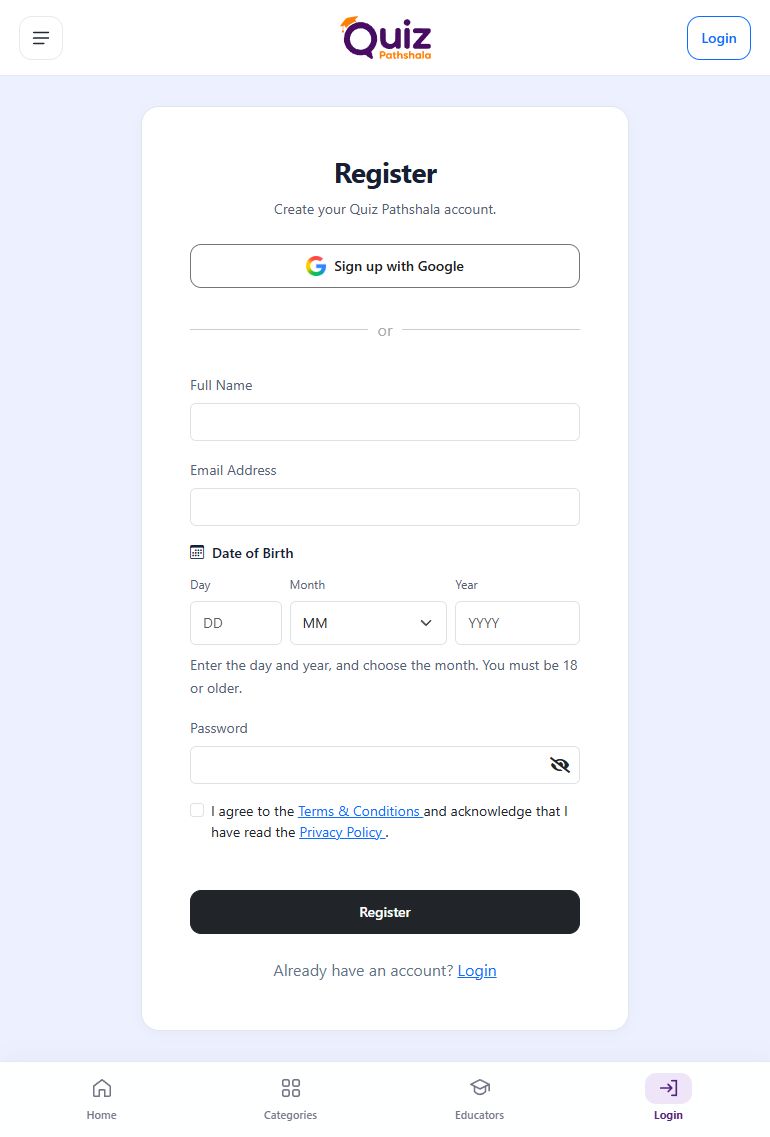
Open Register and choose email registration or Sign up with Google. You must be 18 or older and enter your correct date of birth.
Choose email registration if you want a Quiz Pathshala password, or Google registration if you prefer Google sign-in. In either case, use an email/account you can keep accessing: it is needed for future sign-in, account communication and support.
Register with email
- Enter your full name, email, date of birth and password. Use an inbox you can access.
- Read the linked policies, select the required consent checkbox, and click Register.
- Enter the emailed OTP and click Verify to complete registration.
Register with Google
- Click Sign up with Google.
- Enter your date of birth, read and accept the required policies, then continue.
- Choose your Google account and complete sign-in. No separate registration email OTP is needed.
See how to switch roles after signing in.
Useful information
Details that matter
Enter your real name and a valid date of birth using the separate Day, Month and Year fields. Email registration requires a password of at least 8 characters with uppercase, lowercase, a number and a supported symbol (@, $, !, %, *, ? or &). Read the Terms & Conditions and Privacy Policy before selecting consent.
After registration
For email registration, entering the correct OTP verifies your account and signs you in. Google verifies the email through its sign-in flow. On later visits, use the same registration method and email/Google account. Registration does not ask you to create separate learner and teacher accounts; dashboard tools still require their applicable access.
If registration does not complete
- Email already registered: Go to Login and use that account, or reset its password. Do not create another account to reach existing purchases.
- OTP missing: Check Spam/Junk and request a fresh verification code when available.
- Age/date error: Check the actual day, month and year. You must already be 18; an eligible birth year alone is not enough.
Use your correct date of birth. False eligibility information can lead to account restriction, suspension or removal under the platform’s Terms & Conditions.
More help on this topic
See this screen