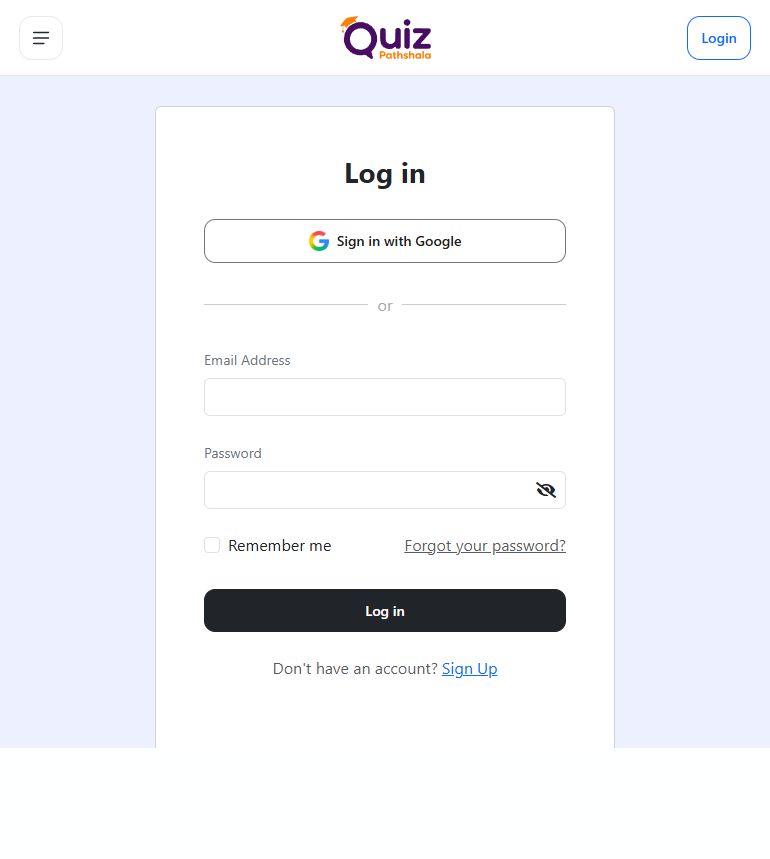
How do I sign in to my account?
Use your registered email and password or your Google account.
Open Login and use the email/password or Google account you registered with.
Use the same account you created earlier. Email registration uses the password you set on Quiz Pathshala; Google registration uses the selected Google account. Choosing a different email or Google account can open a different account without your purchases or saved attempts.
Email and password
- Enter your registered email and password.
- Click Log in. Complete email verification if prompted.
- Click Sign in with Google.
- Select the same Google account you used to register.
If sign-in fails
- Check the registered email, password, Caps Lock and extra spaces. If using Google, choose the same account used to register.
- Forgot your password? Reset it using email OTP.
- Asked to verify your email? Complete verification.
Still cannot sign in? Email support@quizpathshala.in with the error message. Do not include your password or OTP.
Useful information
What happens after sign-in?
You can open the features available to your active role and access. An unverified email account may be sent to the OTP screen before you can continue. Complete that screen instead of registering another account.
Account restrictions
- Temporary sign-in restriction: If the page asks you to wait, follow that message before retrying.
- Archived or restricted account: Follow any recovery instructions shown. Contact support if the displayed recovery window has ended or access remains restricted.
More help on this topic
See this screen